Videos
See SchoolTrendz in action
Short video tours of the AI-powered school ERP, straight from our YouTube channel. Every video plays right here on the page.
- Short walkthroughs
- New videos appear here automatically
- Free for every school

All video tours
Latest videos
15 videos · newest first

-
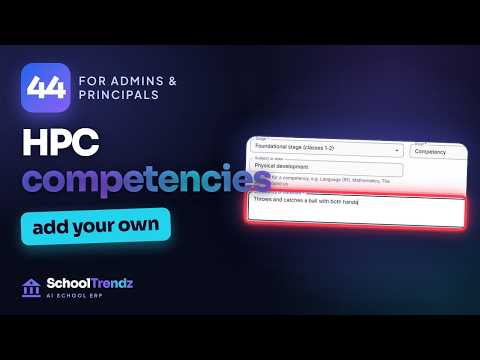
44. How to Add Your Own Competencies to the Holistic Progress Card | SchoolTrendz
-

43. How to Read Parents' Feedback and Share It on Your Website | SchoolTrendz
-

42. How to Set Up Complaint Categories in SchoolTrendz | Complaint Report
-
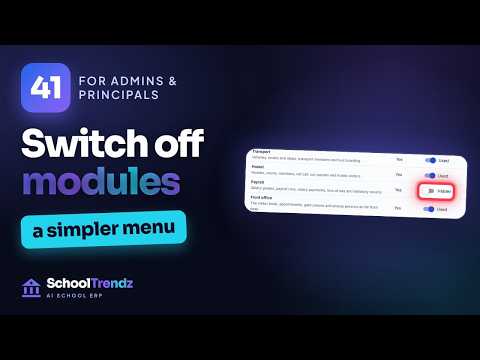
41. How to Switch Off the Modules You Don't Use in SchoolTrendz | Simpler Menu
-

40. How to See Who Changed What in SchoolTrendz | Audit Log
-

39. How to Add News and a Photo Gallery to Your School Website | SchoolTrendz
-

38. How to Add a Page to Your School Website in SchoolTrendz | Website Pages
-

37. How to Restore Something Deleted by Mistake in SchoolTrendz | Recycle Bin
-

36. How to Choose Your Report Card Format in SchoolTrendz | CBSE, ICSE, State
-

35. How to Track Marks Entry and Lock Marks in SchoolTrendz | Marks Progress
-

34. How to Assign Invigilation Duties in SchoolTrendz | Exam Duty Chart
-

33. How to Set Up Online Admissions in SchoolTrendz | Fee, Documents and Seats
-

32. How to Set Leave Types and Leave Balances in SchoolTrendz | Staff Leave
-

31. How to Make an Exam Seating Plan in SchoolTrendz | Room Lists PDF
Getting Started with SchoolTrendz
10 videos
-

01. How to Register Your School on SchoolTrendz | School ERP Setup in 1 Minute
-

02. Use SchoolTrendz in Your Language | 33 Languages incl. Hindi, Tamil & Arabic
-

03. How to Set Up Classes and Sections in SchoolTrendz | School ERP Tutorial
-

04. How to Add Teachers in SchoolTrendz (with Teacher Login) | School ERP Tutorial
-

05. How to Admit a Student in SchoolTrendz | Student Admission in 1 Minute
-

06. How to Take Student Attendance in SchoolTrendz | Mark a Class in Seconds
-

07. How to Add Subjects and Choose Their Teachers in SchoolTrendz
-

08. How to Choose Which Alerts You Get in SchoolTrendz | Notifications
-

09. How to Find Answers in the SchoolTrendz Help Centre | Support Tickets
-

10. How to Change Your Password and Turn On Two-Step Sign-In in SchoolTrendz
SchoolTrendz for Admins & Principals
24 videos
-

01. Your Whole School at a Glance | SchoolTrendz Principal Dashboard
-

02. How to Add Your Logo and Colours in SchoolTrendz | School Settings
-

03. How to Set Up School Fees for Every Class | SchoolTrendz Fee Plans
-

04. How to Create an Exam and Date Sheet in SchoolTrendz
-
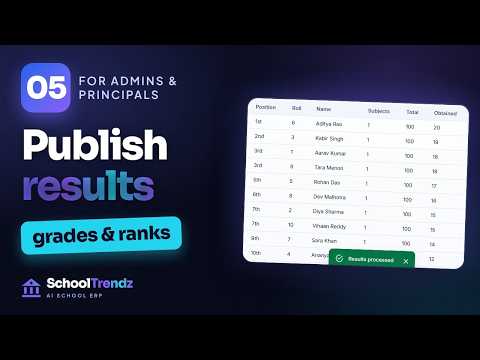
05. How to Publish Exam Results in SchoolTrendz | Results to Parents
-

06. NEP 2020 Holistic Progress Card in SchoolTrendz | HPC Made Easy
-

07. APAAR ID, PEN and UDISE+ Records in SchoolTrendz
-

08. How to Set Role Permissions in SchoolTrendz | Who Sees What
-

09. How to Run School Reports in SchoolTrendz | PDF and CSV
-
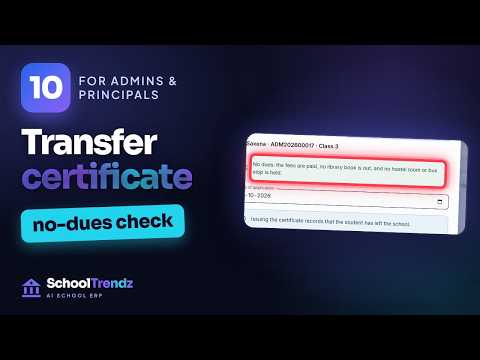
10. How to Issue a Transfer Certificate in SchoolTrendz | No-Dues Check
-

11. How to Admit a Student Who Applied Online in SchoolTrendz
-

12. How to Import Students from Excel into SchoolTrendz
-

13. How to Make a School Timetable Without Clashes in SchoolTrendz
-

14. How to Approve a Teacher's Leave in SchoolTrendz
-

15. How to Arrange Cover for an Absent Teacher in SchoolTrendz
-

16. How to Send a Notice to Parents in SchoolTrendz
-

17. How to Set Up a Parent-Teacher Meeting in SchoolTrendz
-

18. How to Update Your School Website in SchoolTrendz
-

19. How to Promote Students to the Next Class in SchoolTrendz
-

20. How to Print Student ID Cards in SchoolTrendz | With Photos
-

21. How to Print Exam Admit Cards in SchoolTrendz | With the Exam Timetable
-

22. How to Add Holidays to the School Calendar in SchoolTrendz
-

23. How to Issue a Bonafide Certificate in SchoolTrendz
-

24. Exam Result Analysis in SchoolTrendz | Subject-wise Results and Toppers
Video tours
Video tours are on the way
Short walkthroughs of SchoolTrendz will appear here as soon as they are published. Subscribe on YouTube to see each one first.
What you'll learn
From your first login to your first AI answer
Short, practical walkthroughs of the jobs schools do every day in SchoolTrendz.
-
Getting started
Your first steps in SchoolTrendz: add teachers, classes and students, or import them from a spreadsheet.
Learn more -
Fees
Fee types, invoices, instalment plans of 2–12 parts, receipts and dues at a glance.
Learn more -
Attendance
Daily attendance in a few taps, leave requests and monthly summaries.
Learn more -
Exams
Marks entry, results and class ranks worked out automatically, and report cards.
Learn more -
Early access
SchoolTrendz AI
Ask your school questions in plain language and get answers within your permissions.
Learn more
Want a video on something else? Tell us at [email protected]
Free for every school
Want SchoolTrendz for your own school?
SchoolTrendz is free for every school. Register your school — we review each registration and set it up with you — or book a demo and we’ll show you around.
We set it up with you Nothing to install AI assistant in early access